 suweb.ai plugin · v0.1.14
Divi Brand Swap
Rebrand your whole Divi site in one go, with one-click undo.
Divi Brand Swap changes your Divi site's colors, fonts, logo and business name across the whole site in one go. You preview everything first, a backup is taken, and you can undo it with one click.
 ColorsFontsLogoBusiness nameOne-click undo
What it is
What is Divi Brand Swap?
A new logo or brand color sounds like a small change until you try to apply it across a whole Divi site. Colors and fonts live in many places: global settings, presets, modules and templates. Miss a few and the site looks half updated.
Brand Swap does it as one job. It scans your site and shows you the brand you have now. You pick the new colors, fonts, logo and business name, or ask your Grok Bot to suggest them. Then you preview every change, leave out anything you want to keep, and apply it.
A full backup is taken before anything changes, and one click puts the exact old values back. Changes go through Divi's own settings, so every page stays editable in the Divi Builder. Web addresses, email addresses and slugs are left alone unless you ask otherwise.
The problems it solves
Sound familiar?
- Hunting down every color and font setting by hand.
- Half-finished rebrands, with old colors still showing in places.
- A business name change that means editing dozens of pages.
- Worrying that a new look will break a working site.
What it does
Key features
Scan first
See every color, font and logo your site uses today.
Colors, fonts, logo and business name
Change them across the whole site at once.
Preview every change
Untick anything you want to keep.
Backup and one-click undo
The exact previous values come back with one click.
Native Divi settings
Everything stays editable in the Divi Builder.
Careful with links
Web addresses, emails and slugs are left alone unless you ask.
Works on its own
Bridge, which is included, lets your Grok Bot suggest the new brand.
Divi 4 and Divi 5
One plugin for both.
Who needs it
Who it's for
- Small business owners updating their look, logo or business name.
- Agencies and freelancers delivering rebrands for clients.
- Divi designers reusing one design for a different brand.
- Site managers keeping a site in line with brand guidelines.
Real examples
How people use it
- New logo, new colors. A business updates its brand and wants the website to match by this afternoon.
- Same design, new client. A designer reuses a layout and swaps in the new client's brand.
- Name change. A practice renames itself and updates the name everywhere it appears, without touching email addresses.
- Try it on. Apply a new look, show the client, and undo it with one click if they're not sold.
How it works
Up and running in four steps
1
Scan your site
Brand Swap shows you the colors, fonts, logo and business name your site uses now.
2
Pick the new brand
Choose new colors, fonts, a logo and a business name, or ask your Grok Bot to suggest them.
3
Preview every change
See each change before it happens and leave out anything you want to keep.
4
Apply, or undo
A full backup is taken first. Don't like it? Click “Undo this swap” and the exact old values come back.
What it works with
Requirements
Version 0.1.14. Works with your own Grok Bot. No custom code is added to your site.
| Divi | Divi 4 and Divi 5 |
|---|---|
| WordPress | 6.2 or newer |
| PHP | 7.4 or newer |
| Grok Bot | Optional. Brand Swap works fully on its own. With Bridge (included), your Grok Bot can suggest the new colors, fonts and logo. |
| Hosting | Standard WordPress hosting. Backups are kept in your own database and are kept even if you delete the plugin, unless you choose otherwise. |
A look inside
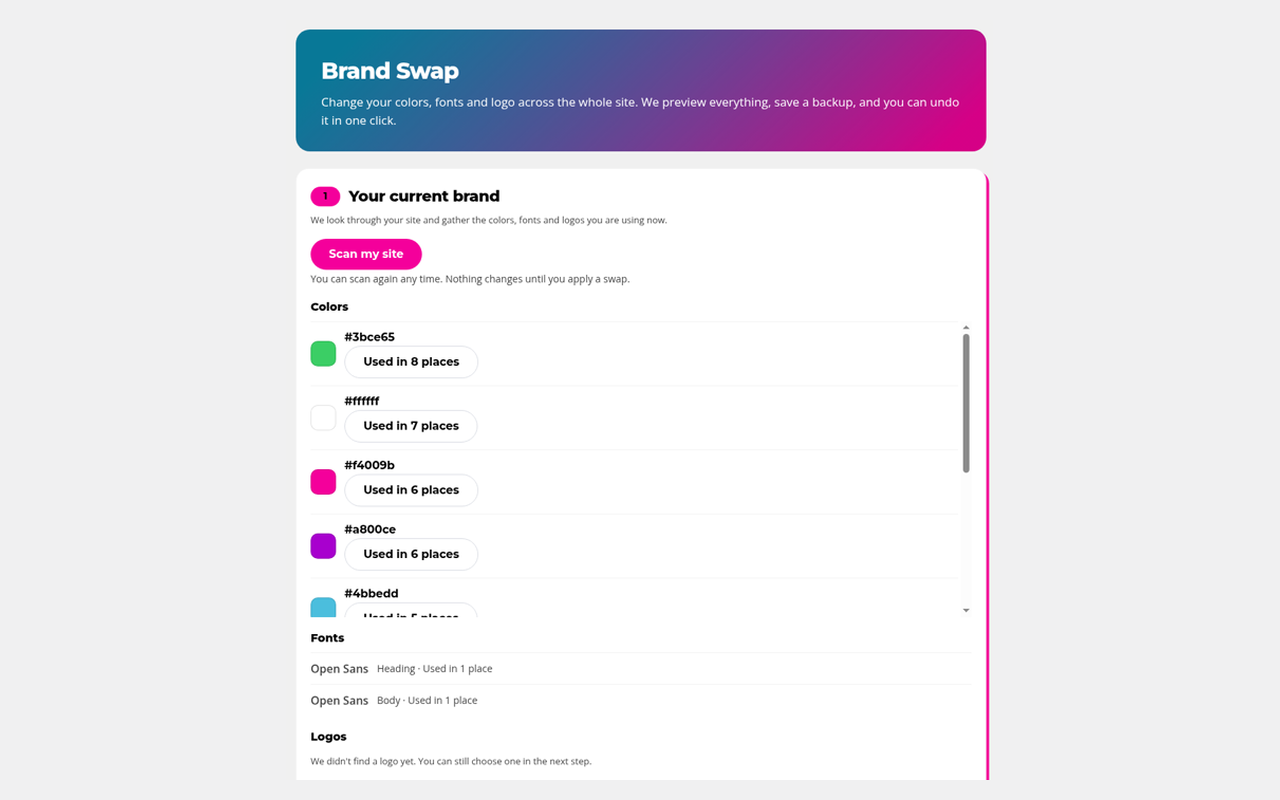
Scan your site to see the colors, fonts and logos you use now.
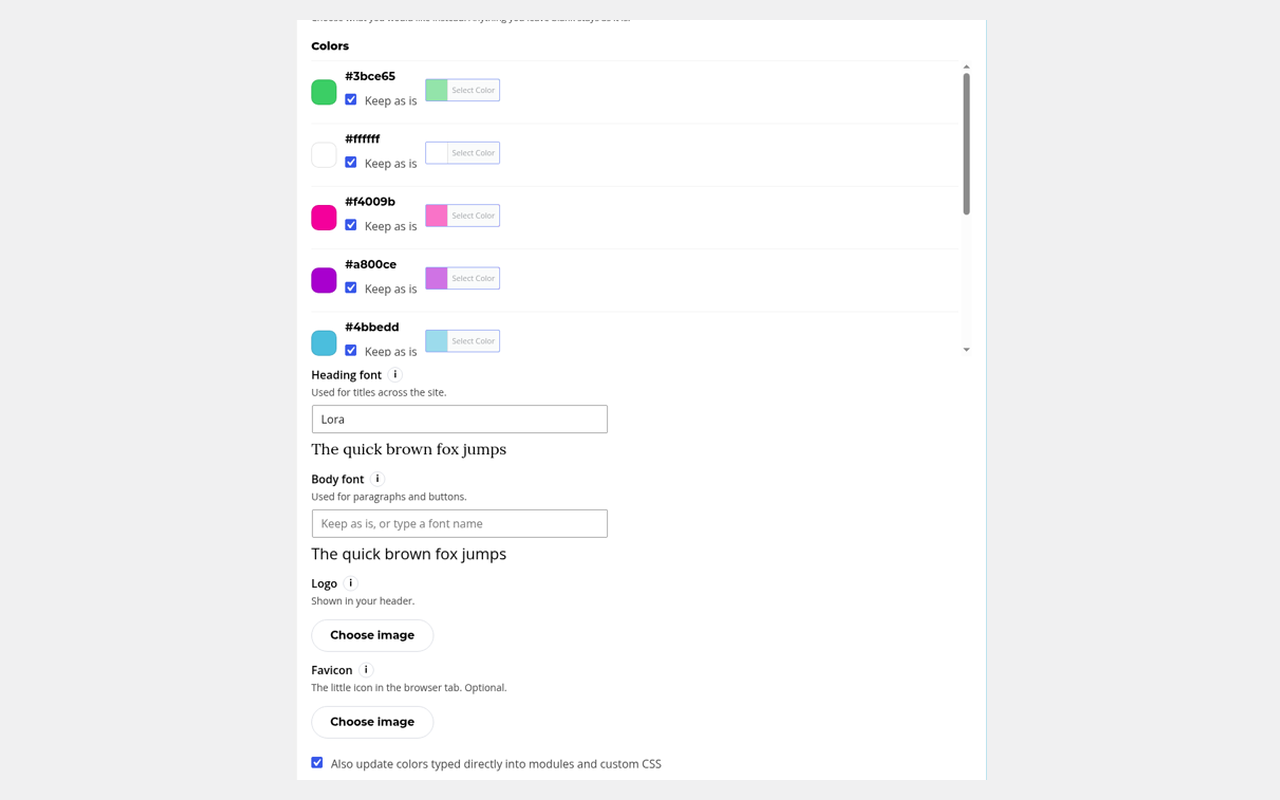
Pick your new brand: new colors, fonts with a live preview, logo and favicon.
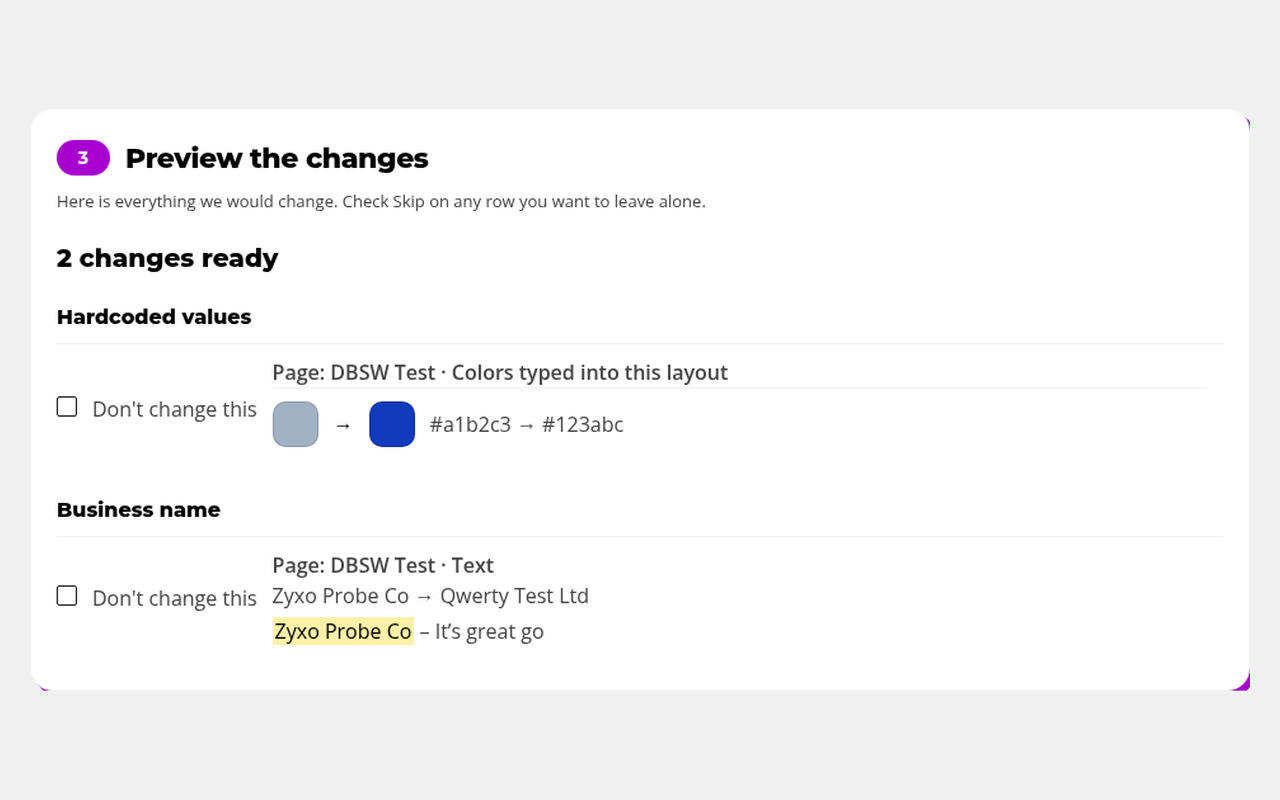
Preview every change, old to new, and skip anything you want to keep.
Does this work without Divi Bot Bridge?
Yes. Brand Swap backs up and undoes changes on its own. Bridge, which is included, lets your Grok Bot help you pick a new brand.
What does it change?
Your site's colors, fonts, logo and, if you want, your business name. You preview every change first.
Will I still be able to edit everything in Divi?
Yes. Only Divi's own colors, fonts, logos and the text you approve are changed, so the Divi Builder stays in charge.
What if I don't like the new brand?
Open Brand Swap and click “Undo this swap.” The exact previous values are put back.
Will it change my web addresses or email addresses?
No. Web addresses, email addresses and slugs are left alone unless you ask otherwise.
Does uninstalling delete my backups?
Only if you turn on the option to erase them before deleting the plugin. It's off by default.
What if my license expires?
Your site keeps working exactly as it is. You just stop getting updates until you renew.
Get Divi Brand Swap
From $49/year for 1 site, $89 for 5 sites, $139 for unlimited sites. Divi Bot Bridge is included. Billed yearly.
SUWEB Bundle Get all four plugins for $149/yr
All four separately cost $216/yr, so you save $67. On 5 sites you save $127, on unlimited $207. Divi Bot Bridge included.
Works even better together

Divi Bot Bridge
Unlock Divi for your Grok Bot.

Divi Kickstart
Tell your Grok Bot what you want. Get a real Divi website.

Divi Box & Ship
Pack up your best Divi work and ship it to any site.