
 suweb.ai plugin · v0.5.15
Divi Box & Ship
Pack up your best Divi work and ship it to any site.
Divi Box & Ship packages layouts, pages, Divi Library items, Theme Builder templates, and presets or global styles from one Divi site and ships them to another. You choose how they arrive, and links are fixed up for you.
 Works on its ownCopy, replace or skipTheme BuilderPresetsRelinking
Your choice
Works on its own. Even better with your Grok Bot.

No Bridge needed
Works on its own
Pack and unpack Divi layouts, pages, templates and presets by hand, right from WordPress. Box & Ship does not need Divi Bot Bridge to work.

Bridge included
Even better with your Grok Bot
Bridge comes in the box. Connect your Grok Bot and it can do the packing and shipping for you while you design or migrate a site.
What it is
What is Divi Box & Ship?
If you work on more than one Divi site, you've probably rebuilt the same header, the same services layout, or the same button styles more times than you'd like. Divi has export tools, but moving a full set of designs (pages, templates, presets, and library items together) is slow, and links often still point at the old site afterwards.
Box & Ship turns that into one job. Pick what you want from the source site and "box" it up. Then "ship" it to the destination site. For each item, choose how it should land: copy it alongside what's already there, replace the existing version, or skip anything that already exists. Box & Ship relinks content so it points to the right places on the new site.
Your Grok Bot can do the packing and shipping for you through Bridge (included), or you can run it yourself. Either way, the result is native Divi content that's fully editable on the new site.
The problems it solves
Sound familiar?
- Rebuilding the same layouts and templates on every new site.
- Moving pages, Theme Builder templates, presets, and library items as separate, manual exports.
- Broken or wrong links after moving content between sites.
- Overwriting work by accident when importing. You decide copy, replace, or skip.
- Keeping a consistent look across a group of related sites.
What it does
Key features
Everything in one box
Package layouts, pages, Divi Library items, Theme Builder templates, and presets/global styles together.
Ship to any of your Divi sites
Move designs from one site to another without stitching exports together.
You choose how it lands
Copy, replace, or skip, so nothing gets overwritten unless you want it to be.
Relinking
Links are updated to suit the destination site.
Native and editable
Shipped designs are normal Divi content on the new site.
Works on its own
Box and unbox by hand from WordPress. Divi Bot Bridge is not required.
Even better with your Grok Bot
Bridge comes included, so your Grok Bot can pack and ship for you during a design or migration.
Who needs it
Who it's for
- Agencies that reuse proven designs across many client sites.
- Freelancers who start new projects from their own templates.
- Divi designers who build starter kits, layout packs, or design systems.
- Site managers who migrate content between staging and live sites, or from an old site to a new one.
Real examples
How people use it
- Agency starter kit. Keep a "master" Divi site with your standard header, footer, page layouts, and presets. Ship it to each new client site as a starting point.
- Template rollout. You've improved a blog post template, so you ship the new Theme Builder template to several sites and choose "replace."
- Safe top-up. Add new library items to a client site with "skip," so anything the client already customized stays untouched.
- Migration. Move pages and templates from an old Divi site to a new one, with links updated.
- Staging to live. Build on staging, then ship the finished pages and templates to the live site.
- Selling or sharing layouts. Designers can package a consistent set of layouts and styles to deliver to clients.
How it works
Up and running in four steps
1
Install on both sites
Add Box & Ship to the site you ship from and the site you ship to. It works on its own, no Bridge needed.
2
Box it up
Choose the pages, layouts, Theme Builder templates, presets and library items to pack. You get one ZIP file.
3
Unbox on the new site
Upload the box and choose copy, replace or skip, so nothing gets overwritten unless you want it to be.
4
Check and go
Links are updated for the new site. Give the pages a quick look, or ask your Grok Bot to check them.
What it works with
Requirements
Version 0.5.15. Works with your own Grok Bot. No custom code is added to your site.
| Divi | Divi 4 and Divi 5. A Divi 4 box can land on a Divi 4 or Divi 5 site. A Divi 5 box needs a Divi 5 site, and Box & Ship checks this before anything is written. |
|---|---|
| WordPress | 6.0 or newer |
| PHP | 7.4 or newer. The PHP Zip extension is recommended. Without it, your box downloads as a single JSON file. |
| Grok Bot | Optional. Run it yourself, or ask your Grok Bot to box and ship through Bridge, which is included. |
| Hosting | Your upload size limit should fit the box file. Licence keys, passwords and API secrets are never packed. |
A look inside
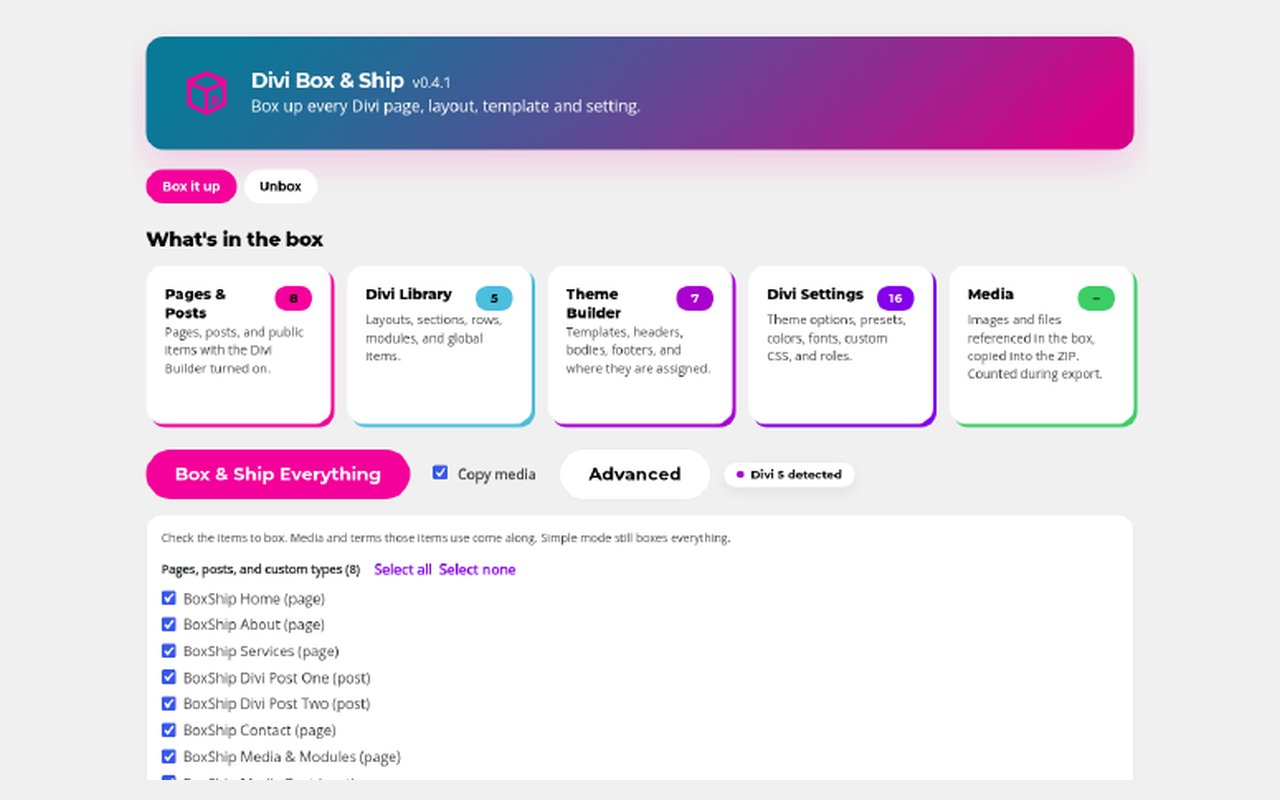
What's in the box: every page, Library item, Theme Builder template and setting, counted before you box.
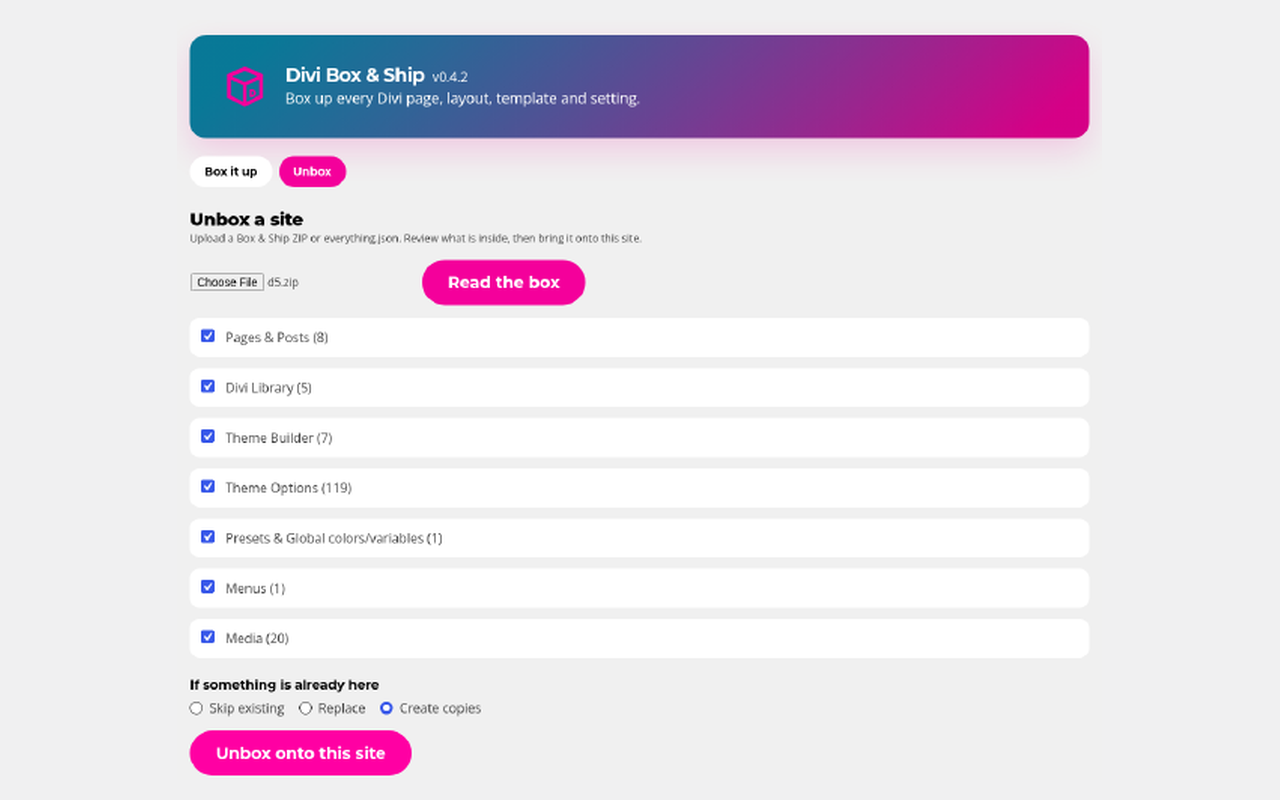
Unbox on another site: read the box, pick what to bring over, and choose skip, replace or copy.
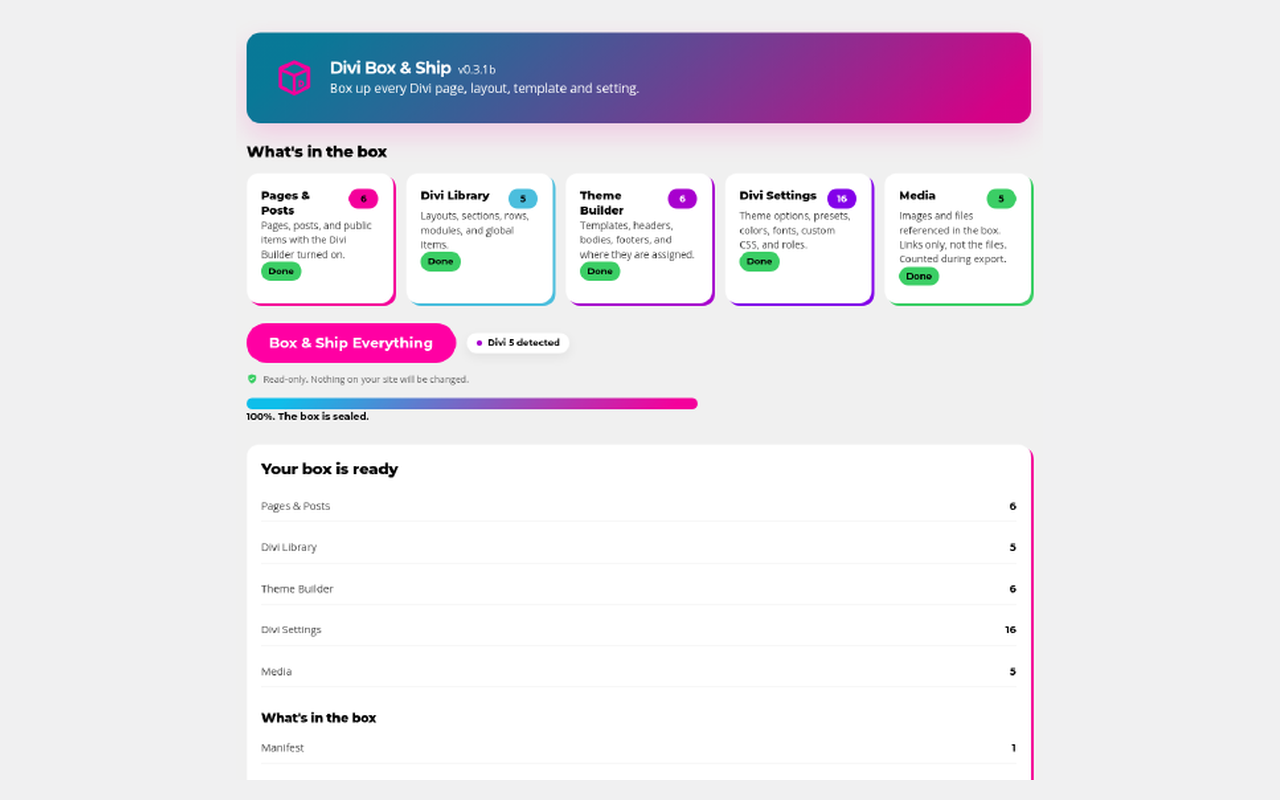
Your box is ready: a sealed ZIP with a count of everything inside, ready to download.
Does Box & Ship need Divi Bot Bridge?
No. Box & Ship works fully on its own: you can pack and unpack Divi layouts and sites by hand, right from WordPress. Divi Bot Bridge comes included, so if you use a Grok Bot it can also do the packing and migrating for you while you design or move a site.
What can I move with Box & Ship?
Layouts, pages, Divi Library items, Theme Builder templates, and presets/global styles.
What do copy, replace, and skip mean?
Copy adds the item alongside what's there. Replace updates the existing version. Skip leaves existing items alone and only adds what's missing.
Will links still work on the new site?
Box & Ship relinks content so it suits the destination site. We still recommend a quick check of the shipped pages, and your Grok Bot can run page checks for you.
Do both sites need the plugin?
Install Box & Ship on the site you ship from and the site you ship to. It works fully on its own. Bridge comes included if you also want your Grok Bot to help.
Is this a full site backup or migration tool?
No. It moves Divi designs and content (the items listed above). For a complete server-level move or backup, use a dedicated backup or migration tool.
Do I need to buy Divi Bot Bridge separately?
No. Bridge is included free with Box & Ship.
What if my license expires?
Everything you've shipped stays exactly where it is and keeps working. You just stop getting updates until you renew.
Get Divi Box & Ship
From $59/year for 1 site, $109 for 5 sites, $179 for unlimited sites. Divi Bot Bridge is included. Billed yearly.
SUWEB Bundle Get all four plugins for $149/yr
All four separately cost $216/yr, so you save $67. On 5 sites you save $127, on unlimited $207. Divi Bot Bridge included.
Works even better together

Divi Bot Bridge
Unlock Divi for your Grok Bot.

Divi Kickstart
Tell your Grok Bot what you want. Get a real Divi website.

Divi Brand Swap
Rebrand your whole Divi site in one go, with one-click undo.